Identify the board
Confirm you have a plain Heltec WiFi LoRa 32 V4, then pick that exact target in the MeshCore flasher.
On the board
Silkscreen / packaging should read WiFi LoRa 32 V4 (not V3 / Wireless Stick / T114).
Confirm with the chip
After the board is on USB (Prerequisites):
esptool --chip esp32s3 --port /dev/ttyACM0 chip-id
Connected to ESP32-S3 on /dev/ttyACM0:
Chip type:          ESP32-S3 (QFN56) (revision v0.2)
Features:           Wi-Fi, BT 5 (LE), Dual Core + LP Core, 240MHz, Embedded PSRAM 2MB (AP_3v3)
…
2MB PSRAM → plain Heltec v4. This desk board reported 2MB.
In the flasher
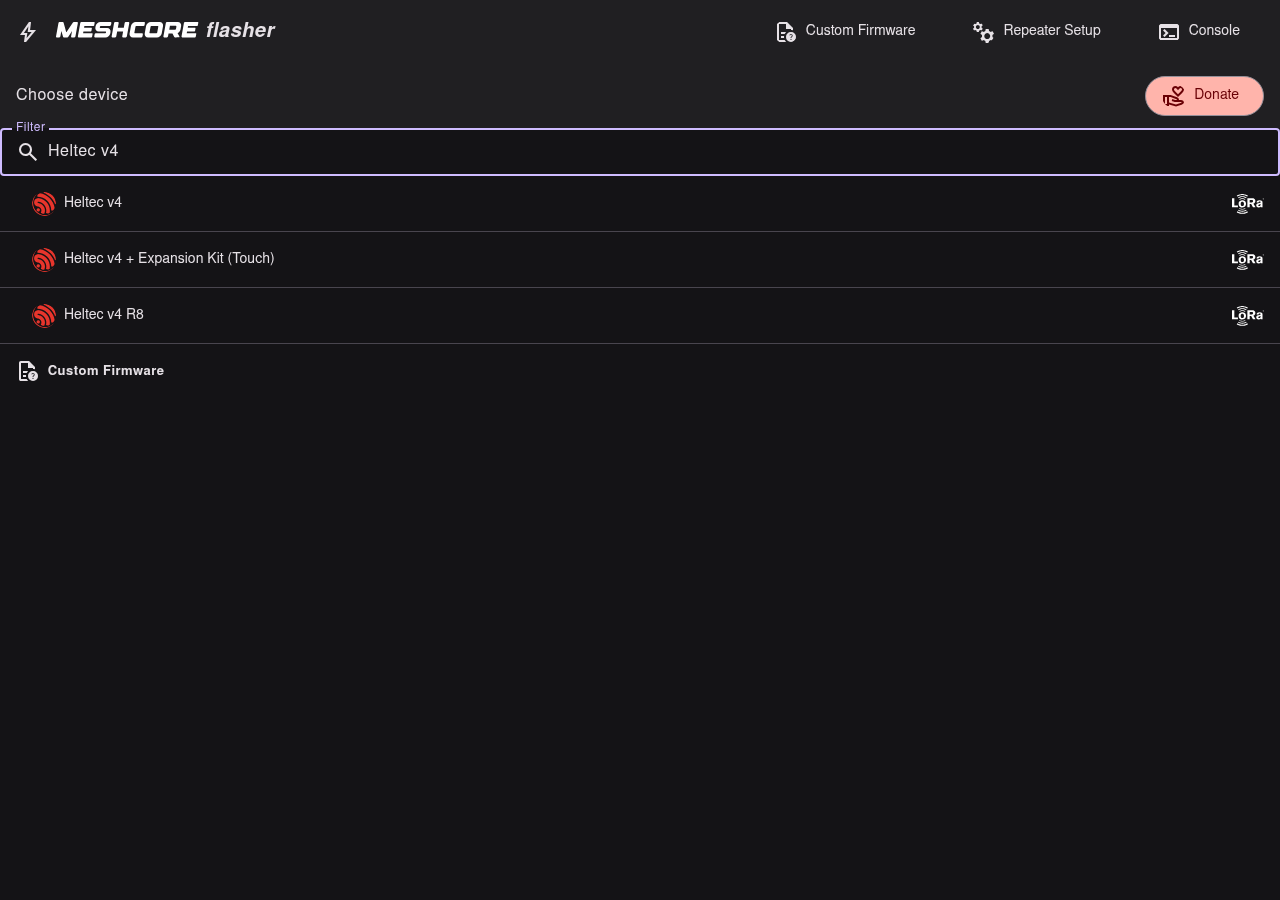
- Open meshcore.io/flasher in Chrome / Chromium / Edge.
- Filter for
Heltec v4. - Choose the plain Heltec v4 row — not Heltec v4 R8 or Heltec v4 + Expansion Kit (Touch).
| Use this | Do not use for this guide |
|---|---|
| Heltec v4 | Heltec v4 R8, Heltec v4 + Expansion Kit (Touch), Heltec v3, other makers |
If your board is a different MeshCore target, stop and use the matching flasher entry instead of forcing these steps.
Next: Bootloader mode.