Flash firmware
Use the MeshCore web flasher. Target for this walkthrough: Heltec v4. Role: Companion · Bluetooth.
Verified on this desk: Companion BLE v1.17.1
(heltec_v4_companion_radio_ble-v1.17.1-d929643-merged.bin) written and hash-verified on
plain Heltec V4 (2MB PSRAM). Latest companion release at this pass: v1.17.1.
Steps
- Open meshcore.io/flasher (or flasher.meshcore.io) in Chrome / Chromium / Edge.
- Device: Heltec v4 (from Identify).
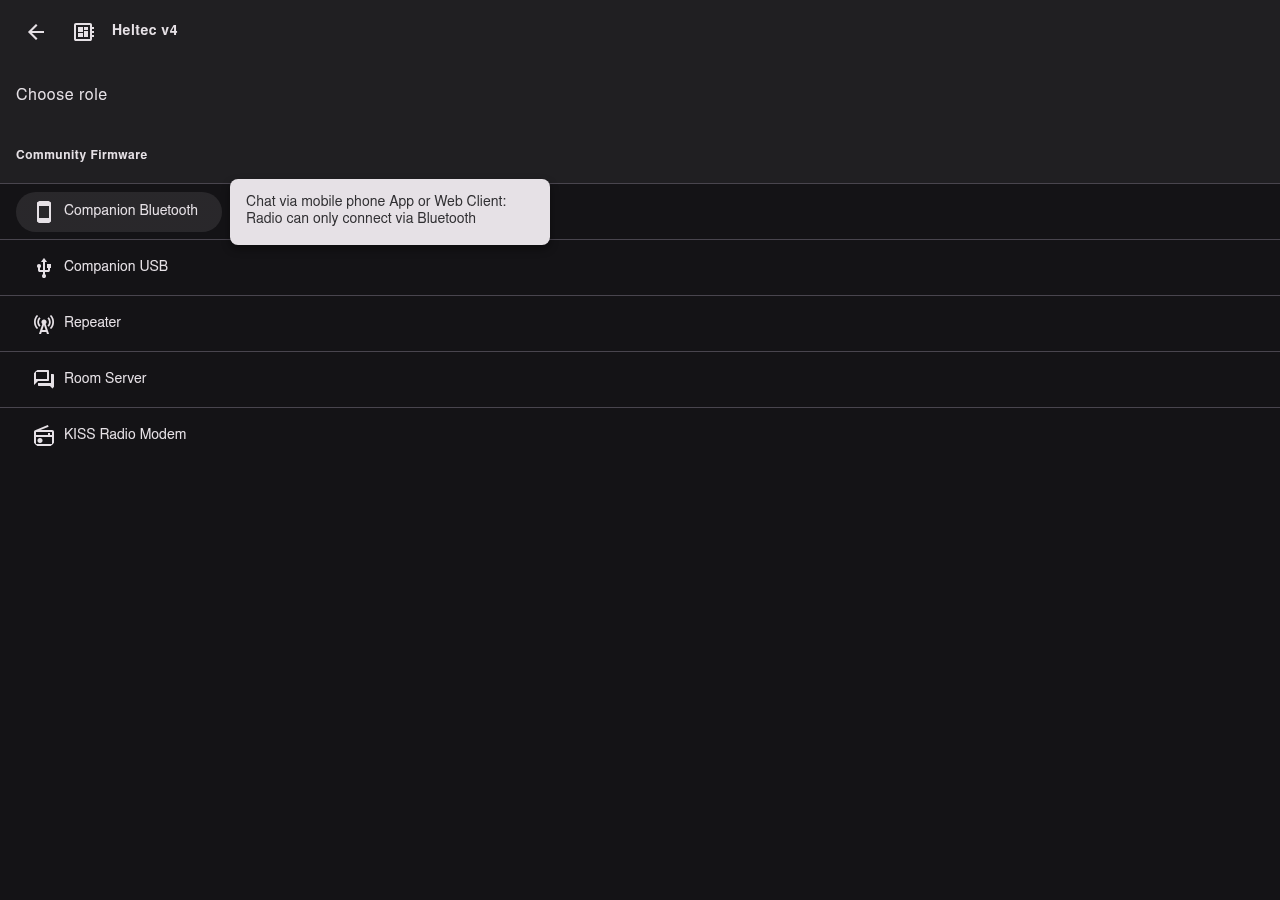
- Role: Companion / Bluetooth (
companionBle) under Community Firmware. Tooltip: Chat via mobile phone App or Web Client: Radio can only connect via Bluetooth. - Enter bootloader mode if the browser cannot open the serial port.
- For a clean first install, enable Erase device. That flashes the
-merged.binwipe image. Leave it off for a normal update so you keep the MeshCore identity. - Start the flash and pick the Espressif /
ttyACM*port. USB can drop mid-write and return on the same node name — reselect the port if the flasher loses the handle. - Wait until the flasher reports success. Tap RST if the board does not reboot on its own.
Other roles (not this guide)
The same Heltec v4 entry also lists Companion · USB, Repeater, Room Server, and KISS Radio Modem. This walkthrough only covers Companion · Bluetooth for phone pairing.
Do not
- Flash Repeater or Room Server when you intend to pair a phone companion.
- Full-erase (Erase device) on a routine update unless you mean to wipe identity.
- Force a different Heltec target if Heltec v4 is not your board.
Next: First boot.